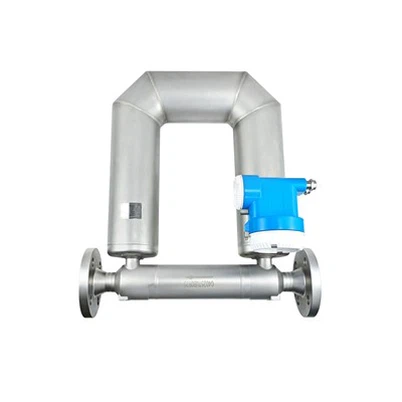
Coriolis Mass Flowmeter Button Operation Guide
Leave a message
Coriolis mass flowmeters are high-precision flow measurement devices widely used in various industrial applications. Familiarity with their button operations is crucial to fully utilize their capabilities.
I. Startup Operation
To start the Coriolis mass flowmeter, first press the power switch. After the device completes the self-test, press the "Start" button. The flowmeter will then begin operating and display real-time flow data.
II. Setup Operation
1. Parameter Setup: Press the "Set" button to enter the parameter setup interface. Adjust parameters such as the measurement unit and flow range according to your needs. After completing the settings, press the "Confirm" button to save the changes.
2. Calibration Operation: Regular calibration is crucial to ensuring measurement accuracy. Press the "Calibrate" button and follow the prompts to perform zero and span calibration. During calibration, ensure that the fluid is still and there are no bubbles in the pipes.
III. Daily Maintenance Operation
1. Cleaning and Inspection: Periodically press the "Clean" button for automatic cleaning to remove dirt adhering to the sensor. Also, regularly check that the device connections are secure to ensure measurement accuracy.
2. Data Logging and Exporting: Use the "Data Logging" button to view historical flow data. To export data, press the "Export" button and select the appropriate format for saving.
IV. Precautions
When operating a Coriolis mass flowmeter, always follow the product manual and safety regulations. Before adjusting parameters or performing calibration, ensure you fully understand the device's performance and operating requirements.
In short, mastering the button operations of a Coriolis mass flowmeter is crucial to ensuring measurement accuracy and stable operation. This article hopes to help users better understand and utilize this high-precision measurement device.